
How to Compress PDF Below 200KB Without Losing Quality
Learn how to reduce PDF size below 200KB for government forms, job applications, and official uploads.
How to Compress PDF Below 200KB Without Losing Quality
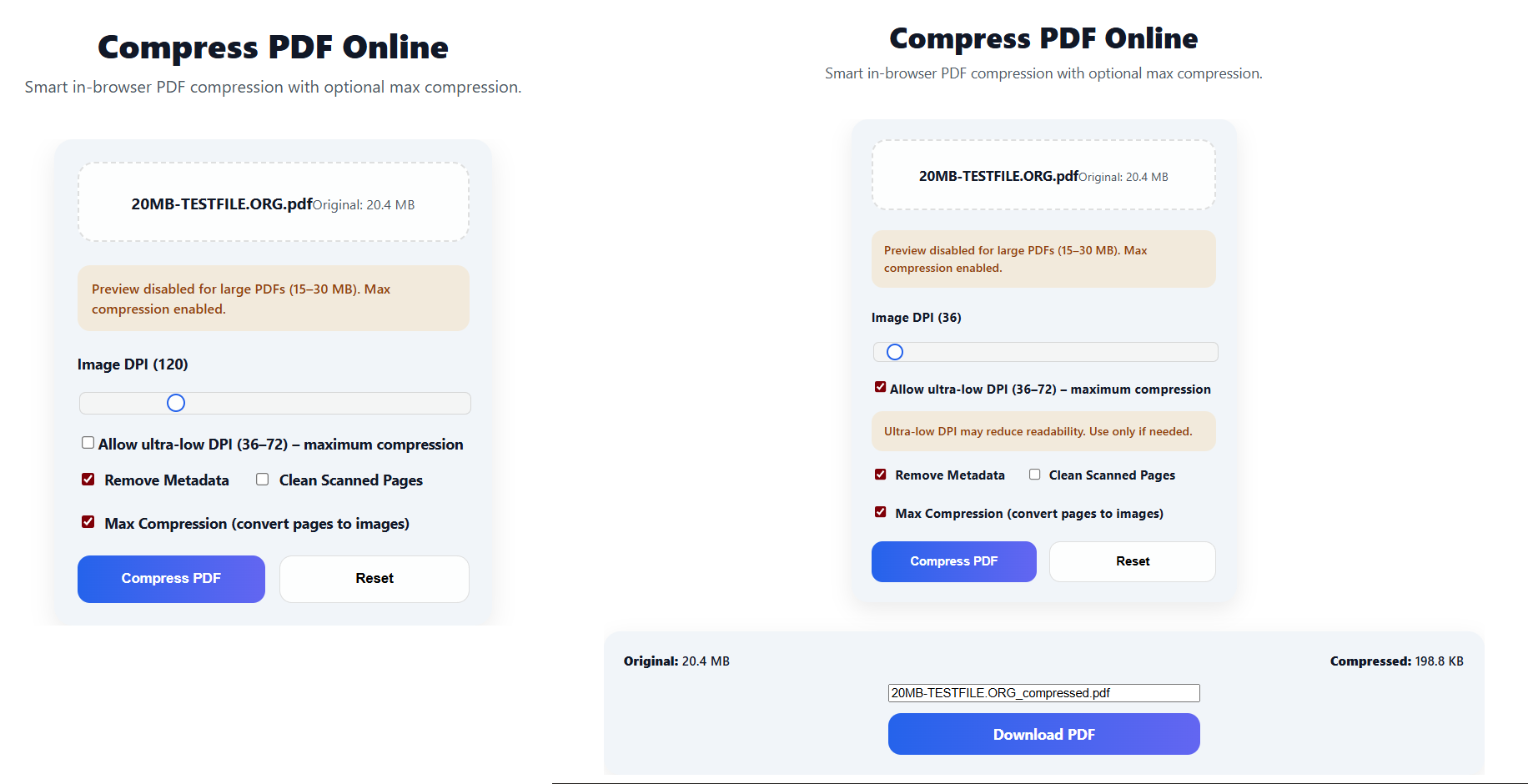
Many websites, government portals, and job application forms enforce strict upload limits — often 200KB or less.
If your PDF exceeds this size, the upload may fail or get rejected instantly.
In this guide, you’ll learn safe, proven, and effective methods to compress a PDF below 200KB while keeping text readable and formatting intact.
Why Do Many Websites Require PDFs Below 200KB?
Strict file size limits are common for:
- Government form submissions
- Job and resume uploads
- College or exam applications
- Bank, visa, or KYC documents
- Email attachments with size restrictions
Most PDFs exceed 200KB because they contain:
- High-resolution scanned images
- Photos instead of text-based content
- Embedded fonts and metadata
- Multiple image-heavy pages
Can You Compress a PDF Below 200KB Without Losing Quality?
Yes — when compression is done correctly.
The key is smart optimization, not aggressive shrinking.
A proper compression process:
- Reduces image resolution intelligently
- Removes unnecessary metadata
- Optimizes page content without damaging layout
A reliable PDF compressor should:
- Keep text sharp and readable
- Preserve original formatting
- Work directly in your browser for privacy
Step-by-Step: How to Compress PDF Below 200KB Online
Follow these simple steps to reduce your PDF safely:
Step 1: Open the PDF Compressor
Use our browser-based compression tool:
👉 Compress PDF
Step 2: Upload Your PDF
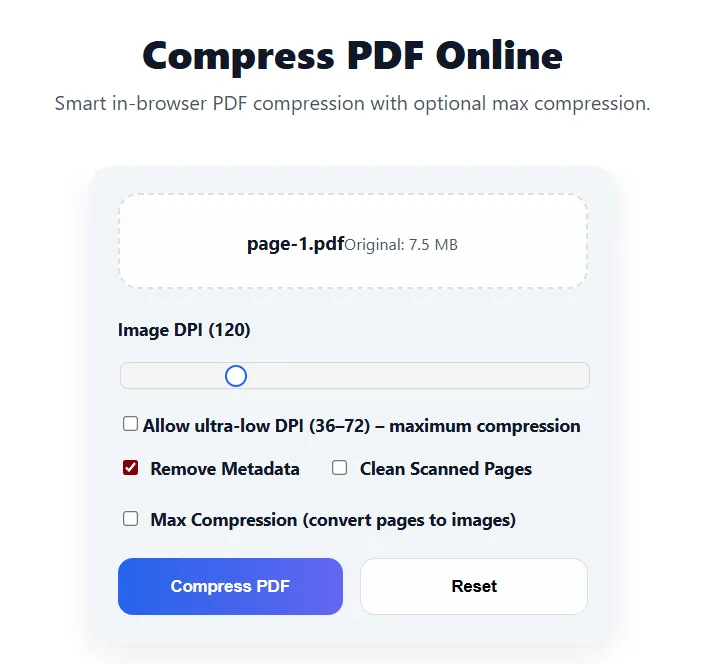
Step 3: Choose Compression Level
Select a compression mode based on your needs:
Step 4: Download the Compressed PDF
Why Use This PDF Compressor?
Unlike many online tools, this compressor is designed for real-world document requirements:
- ⚡ Fast — works instantly in your browser
- 🔒 Private — files never leave your device
- 🆓 Free — no login, no watermark
- 📄 High quality — text remains sharp and clear
It’s ideal for sensitive documents such as:
- Government IDs and forms
- Resume and CV files
- Academic documents
- Official applications
Tips to Get the Smallest PDF Size (Below 200KB)
If your PDF is still larger than 200KB, try these expert tips:
- Convert color pages to grayscale
- Remove unnecessary or blank pages
- Avoid scanning at very high DPI
- Use strong compression only when required
Many users successfully reduce PDFs from 1–5 MB down to under 200KB using these methods.
Is It Safe to Compress PDFs Online?
Yes — when compression happens locally in your browser.
This PDF compressor:
- Does not upload files to servers
- Does not store documents
- Processes everything securely on your device
Your data remains private and protected.
Frequently Asked Questions (FAQ)
Can I compress a scanned PDF below 200KB?
Yes. Scanned PDFs compress very well by reducing image resolution.
Will compression affect text readability?
When optimized correctly, text remains clear and readable.
Is this tool free to use?
Yes. It’s completely free with no watermark or signup.
Can I use it on mobile devices?
Yes. The tool works on mobile, tablet, and desktop browsers.
Compress Your PDF Below 200KB Now
If your PDF is too large to upload or send, don’t waste time testing multiple tools.
👉 Use the PDF Compressor to reduce your PDF below 200KB — fast, secure, and reliable.
🔗 Related PDF Tools
- 📉 Compress PDF — Reduce PDF size instantly
- ✂️ Split PDF — Split large PDFs into smaller files
- 🗑 Delete PDF Pages — Remove unnecessary pages
✅ Best For
Government forms · Job applications · Exams · Banking · Email attachments
This guide is designed to work worldwide, across all major platforms and upload systems.
Try the Tool
Solve this instantly using our free online tool — no signup, no watermark.
Open Tool →